
MINECRAFT · JAVA 1.21.1
Minecraft trial chambers finder
Find predicted trial chamber locations in Java 1.21.1, then separate the journey to the area from the underground combat challenge.
Set up the search
Enter your numeric seed for a default Java 1.21.1 world. This form starts with Trial Chambers in the Overworld. Set Center X and Center Z to the area you want to search, then choose Find on map. The finder looks within 2,048 blocks of that center and orders predicted locations by horizontal distance.
Use View to center on a result and Copy XZ to keep its horizontal coordinates. The marker identifies a predicted starting chunk. It does not identify an entrance, promise a complete structure or supply its internal layout.
Check when the area was generated
Trial chambers arrived in Java 1.21. They are underground structures with varied rooms, combat encounters and rewards. A fresh default 1.21.1 map can predict a chamber area; it does not prove that the same structure was inserted into a chunk explored before that update.
For an upgraded survival world, establish the generation history of the area. If it was already explored before chambers existed, compare newly generated regions or a separate fresh world before concluding that the numeric seed is wrong.
The marker is not a staircase down
A chamber icon gives a horizontal starting-chunk prediction. It does not draw an entrance, a route through caves, individual rooms, trial spawners or vault locations. Surface point inspection shows landscape height, not the chamber floor.
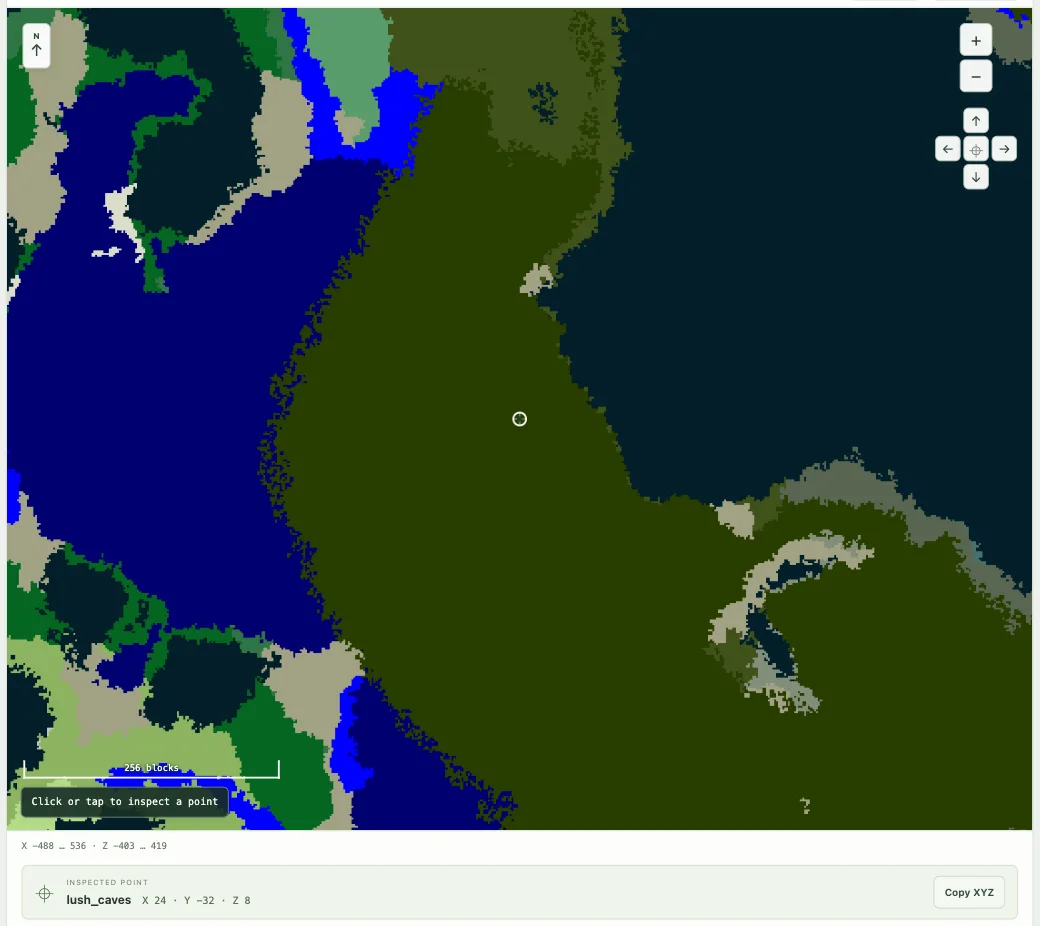
Biome slice mode can help you inspect a chosen underground Y layer, but it cannot turn biome colors into a cave navigation map. Do not assume a colored region is empty space that can be walked through. The biome guide explains this difference.
Plan one visit before collecting many markers
Search around the base you will depart from, open a candidate and keep its coordinates. Consider the surface journey, a return route and a place to regroup. A slightly farther chamber may fit your group better if the travel is simpler.
The official Java 1.21 notes describe procedurally generated layouts and challenge mechanics. The finder does not predict your reward, reveal a vault’s contents or guarantee a particular room arrangement. Decide whether you are ready for the encounter in the actual game.
A reproducible comparison
Use the same seed and default Java 1.21.1 settings in a separate world. Record the candidate X/Z, the actual position checked and whether the target region was newly generated. This separates a generator mismatch from looking at the right horizontal point at the wrong height.
If the first search is empty, move the center and repeat. The current finder checks a 2,048-block radius; it is not scanning every chamber in an entire world. For a different underground objective, use the ancient city finder rather than treating the two structures as interchangeable.
Check a result and keep the context
Confirm the seed, Java 1.21.1, dimension and the generation history of the target chunks. If the location matters to a long-term plan, compare it in a separate matching world before committing. A surface tree or block texture is an illustration, not a surveyed entrance.
Save a named view or copy a full map link with the seed and coordinates. For a discrepancy, include the map point and the position checked in-game using Help & troubleshooting. See the compatibility checklist when an older or modified world differs.
Game background: Minecraft’s trial chambers information.
Keep exploring
All Minecraft seed guides · Map controls with screenshots · Troubleshoot a mismatch