
MINECRAFT · VERSION COMPATIBILITY
Java, Bedrock and Minecraft seed compatibility
A seed number is only part of a world description. Match the edition, generation version, dimension and world settings before comparing maps.
What this map supports
This website calculates default Minecraft Java worlds in the versions listed in the map selector. Select the version that generated the target area; switching versions also changes the available structures and biome data. The Java choices are 1.20.6, 1.21.1 and 1.21.4. Trial chambers are unavailable in 1.20.6. Pale garden biome data is available in 1.21.4. These are specific releases, not a promise that every intervening or newer release behaves identically. Overworld surface terrain uses calculated base heights and biomes. Nether and End views use horizontal biome slices. Supported structures are predictions with their own generation checks, not a reconstruction of a complete saved world.
Choose this tool when your question concerns that supported world type. A Bedrock, unlisted Java or modded world may accept the same number but use rules this engine does not implement. Changing a label on a web form would not add those rules.
Similar land does not prove matching structures
Minecraft’s Bedrock 1.18.30 release notes describe 64-bit seed support and improved seed parity with Java. That helps explain why players can recognize similar landscapes across editions. It does not make every structure coordinate, building detail or starting position interchangeable.
For example, a Java video can show a recognisable mountain while its structure route remains unsuitable for a Bedrock player. The official stronghold guide explicitly describes different stronghold placement between editions. Verify edition before comparing an End journey.
A useful comparison separates three questions: does the broad land shape resemble the source, does the named biome exist at the target, and does the required structure exist there? Passing the first question does not answer the other two.
The version that generated a chunk matters
Updating Minecraft does not mean every explored region becomes a newly generated world. A long-running save can contain areas created at different times. A current-version screenshot and an old-generation chunk can therefore belong to the same world.
Consider a server started before Java 1.21 and later updated to 1.21.1. A trial chamber candidate calculated for a fresh 1.21.1 world is not evidence that a chamber was inserted below a town explored earlier. Trial chambers were introduced with the Java 1.21 update. Establish when the area was generated before checking the candidate.
If the history is unknown, compare against a separate fresh world with the same supported seed and default settings. Keep the original world intact. Do not delete old chunks or overwrite a server merely to make it resemble an online map.
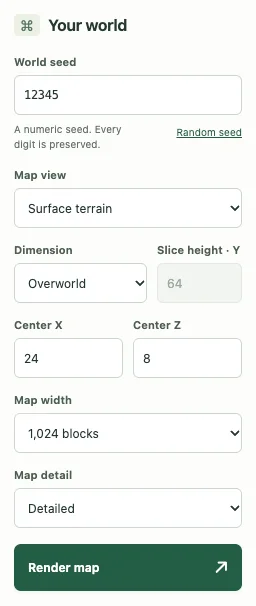
Use a compatibility checklist before reporting a mismatch
- Seed: compare every digit and the minus sign.
- Edition: confirm Java, not Bedrock.
- Generation: match a version offered in the map selector, including the history of the target chunks.
- Dimension: match Overworld, Nether or End.
- Settings: note custom world generation, datapacks, mods or server changes.
- Observation: distinguish a sampled biome, a surface height and a structure start marker.
Large Biomes, amplified terrain and custom generation are not additional supported presets here. A seed can be correct while the generator differs. Report the full context rather than only the number.
Choose a tool by demonstrated support
A site offering many versions gives you more choices, but a long dropdown does not itself show how thoroughly each feature was checked. Look for a clear support statement, reproducible coordinates and a description of limitations. For an unsupported world, use an edition-appropriate tool rather than treating this map as a universal answer.
Our map limitations explain the current scope. If your fresh world in a supported Java version still differs, use Help & troubleshooting with the exact location and comparison.
Keep exploring
All Minecraft seed guides · Map controls with screenshots · Troubleshoot a mismatch