SEEDMAPKIT
Random Minecraft seed generator
Generate a numeric seed, explore its matching Java map and decide whether the world suits your plans.
Generated locally using your browser’s cryptographic random source. No seed is promised to contain a particular feature.
Choose Generate a seed to begin.
What happens when you generate a seed
Each click uses your browser’s random source to choose a signed 64-bit number accepted by this map. The number can be positive or negative. Keep the complete value when copying it; removing the minus sign or changing one digit changes the seed.
Select Explore this seed to open the Overworld map at X 0, Z 0. That is a consistent place to start comparing worlds, not a calculated player spawn location. The map then calculates terrain and biomes for the selected game version.
Generation is local to your browser. A random seed is not a ranked recommendation, a verified “best seed,” or a promise of any particular biome, structure, spawn point or difficulty.
Compare two seeds using the same settings
- Choose one purpose. For example, compare places for a coastal build or areas within reach of a supported structure.
- Keep the settings consistent. Use the same map width and game version while comparing different seeds.
- Look beyond one icon. Inspect the surrounding biome colors and terrain. Structure predictions identify a place to check, not a complete plan for a base.
- Zoom in before deciding. A wide map is sampled. A closer view and point inspection help you understand the coordinates more precisely.
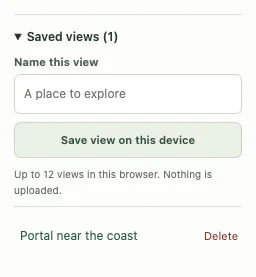
- Save promising views. Give each a descriptive name, such as “coast to investigate,” instead of treating an unvisited location as confirmed.
- Check in-game. Generate a matching world to inspect the finished terrain before committing to a long survival playthrough.
Can I search for a specific combination of biomes?
This page chooses a number. It does not search thousands of seeds for a drawn biome pattern, require a village at spawn, or filter for an exact combination of structures. Those are different calculations and are not implemented here.
If you already have a seed and want a destination, use the structure finder. If you want to inspect a biome in the area already on screen, open the map legend and highlight it. Neither operation is a search across multiple seeds.
Use the same world settings when comparing
A seed needs context: edition, version, dimension and generation settings. Choose a supported Java version from the selector. Unlisted editions or versions, custom datapacks and upgraded chunks can differ even when the number matches.
Text seeds are not accepted here. If a world was created using words, use its resulting numeric seed for this tool. For a multiplayer world, ask the person who manages the server and follow its rules about using or sharing seed information.
Save the seed and the location
Copy the number if you only need the seed. Save or share a map view if the location and settings also matter. Shared-view links include those details after the # character, so retain the complete link.
Saved views are stored in this browser and are not a cloud backup. A different browser, private session or cleared site data may not retain them. See How to use for saving and Privacy for sharing details.