
MINECRAFT · JAVA 1.21.1
Minecraft end city finder
Find predicted End city areas for an outer-island journey. A city marker does not guarantee an End ship, elytra or a bridgeable route.
Set up the search
Enter your numeric seed for a default Java 1.21.1 world. This form starts with End City in the End. Set Center X and Center Z to the area you want to search, then choose Find on map. The finder looks within 2,048 blocks of that center and orders predicted locations by horizontal distance.
Use View to center on a result and Copy XZ to keep its horizontal coordinates. The marker identifies a predicted starting chunk. It does not identify an entrance, promise a complete structure or supply its internal layout.
Begin in the outer-island area
End cities are End structures, separate from the Overworld stronghold used to reach the dimension. This form starts in the End with X 2,048, Z 0 as a convenient outer-area search center. That default is a search input, not a promised city or your gateway destination.
Use the coordinates where you actually arrive among the outer islands when planning a journey. Searching from the central origin can answer a different question from finding a city near your current position. Record the arrival point before moving the map.
A city is not a guaranteed ship
Minecraft’s structure overview treats End cities and End ships separately and identifies ships as the place associated with elytra. This finder predicts city starting areas. It does not tell you whether a ship is present, where an item frame is located or which loot is available.
If an End ship is essential to your trip, verify that detail in the game. Do not publish “guaranteed elytra” based only on a city marker. The tool does not inspect changes made by players, so an already visited city is another reason to check the actual world.
Treat the gap between markers as a journey
The End map uses a biome slice, not a reconstruction of every island edge or bridge. A straight line on the map can cross void. Neither a short candidate distance nor a colored region certifies a continuous walking route.
For a worked navigation example, a city 300 blocks east and 400 blocks south is 500 horizontal blocks away. The travel plan still depends on the actual islands and your equipment. Save both the arrival point and the candidate rather than keeping only the final city number.
Check the destination before a large expedition
Use View to inspect the predicted point, copy its X/Z and note that the marker describes a starting chunk rather than the city’s roof or entrance. The surface Y value from an Overworld view has no role in this End search.
If you are checking a published seed, match Java 1.21.1 and the same dimension. Confirm an important city in a separate matching world before committing a group expedition. An empty search can be retried from another outer-island center; it does not establish that the entire End has no cities.
If you have not yet reached the End, return to the stronghold finder for the earlier stage of the journey. Keep that Overworld search separate from these End coordinates.
Check a result and keep the context
Confirm the seed, Java 1.21.1, dimension and the generation history of the target chunks. If the location matters to a long-term plan, compare it in a separate matching world before committing. A surface tree or block texture is an illustration, not a surveyed entrance.
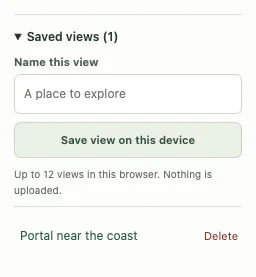
Save a named view or copy a full map link with the seed and coordinates. For a discrepancy, include the map point and the position checked in-game using Help & troubleshooting. See the compatibility checklist when an older or modified world differs.
Game background: Minecraft’s end city information.
Keep exploring
All Minecraft seed guides · Map controls with screenshots · Troubleshoot a mismatch