
MINECRAFT · JAVA 1.21.1
Minecraft coordinates, chunks and Y levels
Use the right coordinate for the right job: X/Z gets you to an area, Y describes height, and chunk coordinates identify a 16 × 16 block column.
Read X, Y and Z separately
X and Z locate a position across the world; Y is its vertical coordinate. Increasing X moves east and increasing Z moves south. Decreasing X moves west and decreasing Z moves north. A negative sign is a direction, not an error to remove.
Minecraft’s exploration guide explains how to display coordinates: Java uses the F3 debug screen, while Bedrock offers Show coordinates in its world settings. Our map calculations support Java 1.21.1 even though both editions use coordinates.
Keep the dimension with the numbers. X 400, Z −200 in the Overworld and the same numbers in the Nether refer to different places. A Nether search expects Nether coordinates; entering an Overworld base directly does not calculate a portal route.
Work through a distance example
Suppose your base is X 100, Z −200 and your destination is X 400, Z 200. The horizontal changes are 300 blocks east and 400 blocks south. The straight-line distance is 500 blocks: the square root of 300² + 400².
That is a coordinate example, not a measured route through a particular seed. Walking around a mountain or following a coastline can take longer. A finder result orders candidates by horizontal distance from its search center, not by travel time, climbing difficulty or the shortest safe path.
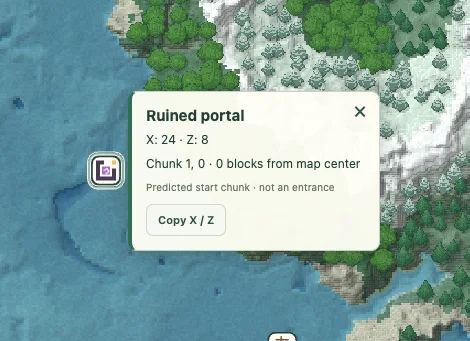
If you move the map center, the distance in a structure popup can change. The structure’s X/Z location has not moved. Keep the original base location in a saved view if you are comparing several destinations.
Convert blocks to chunks, including negatives
A chunk spans 16 blocks along X and Z. Microsoft’s chunk explanation describes that horizontal size. Divide a block coordinate by 16 and round downward to find its chunk.
On a narrow screen, scroll the table sideways to see each chunk’s full block range.
| Block coordinate | Chunk coordinate | Block range in that chunk |
|---|---|---|
| 0 or 15 | 0 | 0 through 15 |
| 16 | 1 | 16 through 31 |
| −1 | −1 | −16 through −1 |
| −17 | −2 | −32 through −17 |
Apply that rule separately to X and Z. Block X 184, Z −168 belongs to chunk 11, −11. Dropping the decimal toward zero would give the wrong negative chunk. Turn on the map’s chunk grid and zoom closer when you want to see the boundaries.
A surface height is not an underground floor
In surface view, point inspection reports the calculated landscape height. A stronghold or trial chamber marker beneath that landscape does not turn the surface Y value into the structure’s floor level. Finder locations identify predicted starting chunks, not exact doors, rooms or excavation depths.
Biome slice mode samples biomes at the Y level you choose. For example, a slice at Y −32 asks which biome is present at that height. It does not show every solid block, cave tunnel or ore vein. See the biome guide for a worked slice example.
Separate a spawn estimate from the world origin
The origin is exactly X 0, Z 0. The map’s spawn feature estimates a world starting area from the seed. It is not a verified exact player spawn block, a bed location, a respawn anchor or the current spawn settings of a server save.
Use the estimate to orient a first look, then replace it with coordinates from the game when planning a real meeting point. If a route is measured from an estimate, say so; a distance from the map center should not be described as distance from the player unless that center is the player’s actual position.
Read the slime chunk overlay as eligibility
The optional slime layer marks calculated Java slime chunks within 512 blocks of the current map center. It identifies eligible chunk columns, not slimes currently present in a saved world. A highlighted chunk is not proof that a finished farm will work.
Keep chunk boundaries separate from block positions and check the actual spawning conditions and build in the game. The overlay does not inspect your floor, nearby caves, mob counts or player position. Clearing or moving the overlay does not change the seed’s chunk calculation.
Copy coordinates without creating a new mistake
Copy XZ returns two horizontal values. A teleport command requires a height too; do not paste two numbers into a three-coordinate command and assume the missing value is safe. Record a destination first, then inspect it in the game using a suitable route or a separate Creative copy.
When reporting a mismatch, include both the map’s predicted X/Z and the position checked in-game, plus edition, version and dimension. A screenshot without those details can mix a block coordinate, chunk coordinate and map-center distance. The troubleshooting form helps assemble them.
Keep exploring
All Minecraft seed guides · Map controls with screenshots · Troubleshoot a mismatch